In-depth insight.
Crystal clear actions.
Ad Optimiser connects your Google, Meta and Microsoft ad spend to real leads and closed deals. Cross-platform analytics, a prioritised action plan, and a CRM that tracks every lead back to the ad that generated it. No agency jargon. No platform spin.
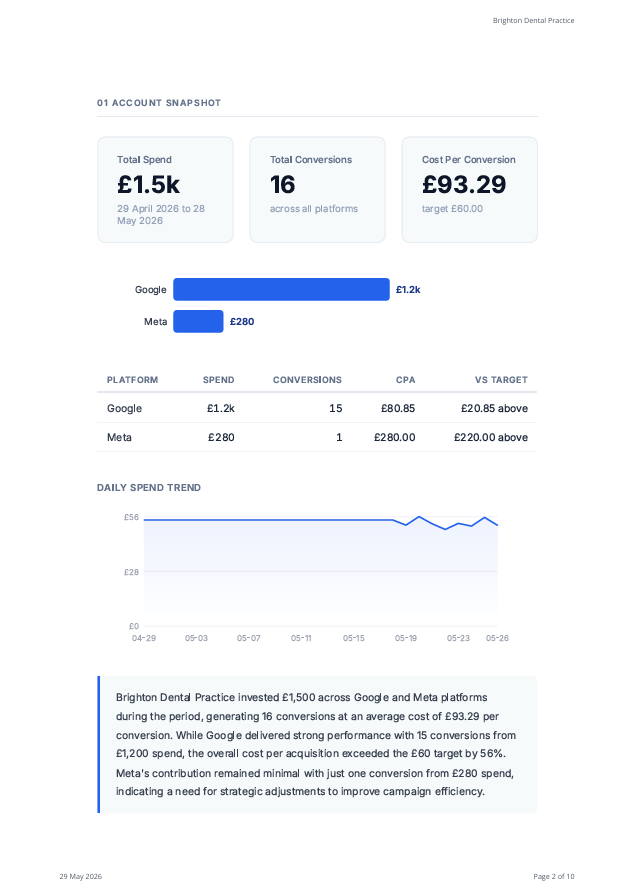
The Strategy Report analyses your entire ad account using AI and writes up the findings in plain English. What is wasting money, what to scale, what to do next. Every recommendation is backed by real data and auditable in your ad platform.
Independent, founder-run, based in the UK
Ad Optimiser is built by a husband and wife team based in Harrogate, North Yorkshire. With a background spanning nearly two decades as an IT contractor and consultant with a penchant for data analysis, working across some of the UK's largest organisations, our founder understood the challenges SMEs face. Constantly evolving platforms, opaque advice, and agency fees that put proper support out of reach for most small businesses.
No VC funding. No growth hacks. Just two people who believe small businesses deserve honest answers about their ad spend, without paying agency fees for the privilege.
Ad Optimiser works with any business running Google, Meta or Microsoft ads, wherever you are based.
Meet the team →
Everything you need.
Nothing you don't.
Built for business owners running their own ads, not agencies or analysts.
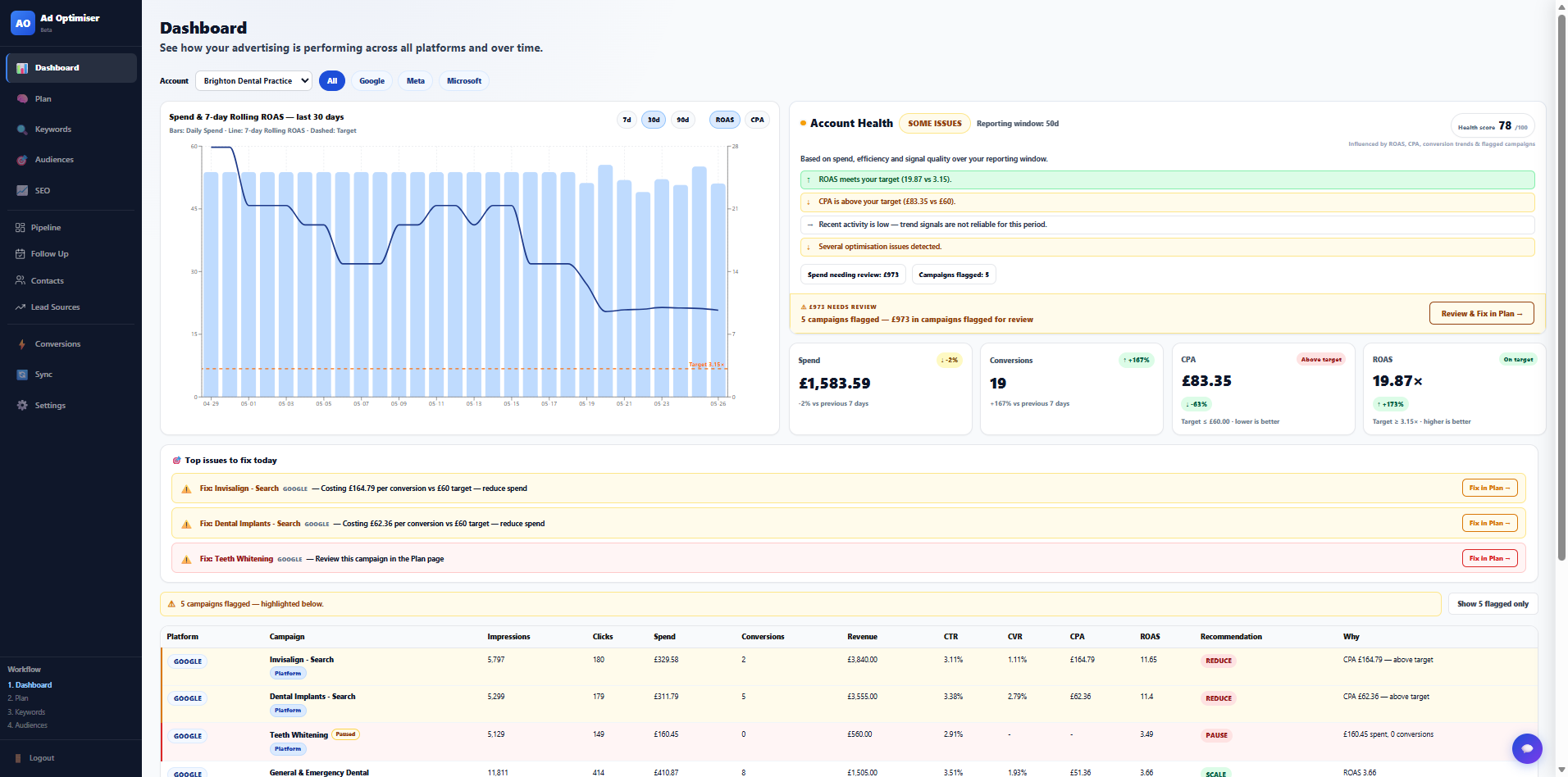
All your ad spend. One honest view.
See Google, Meta and Microsoft campaigns side by side with real metrics, not platform spin. Flagged issues surface automatically and a prioritised action plan shows you exactly where to focus.
- Google, Meta and Microsoft in one view
- Flagged campaigns and wasted spend identified
- Prioritised action plan, not vague suggestions
- 30-day rolling performance with trend indicators
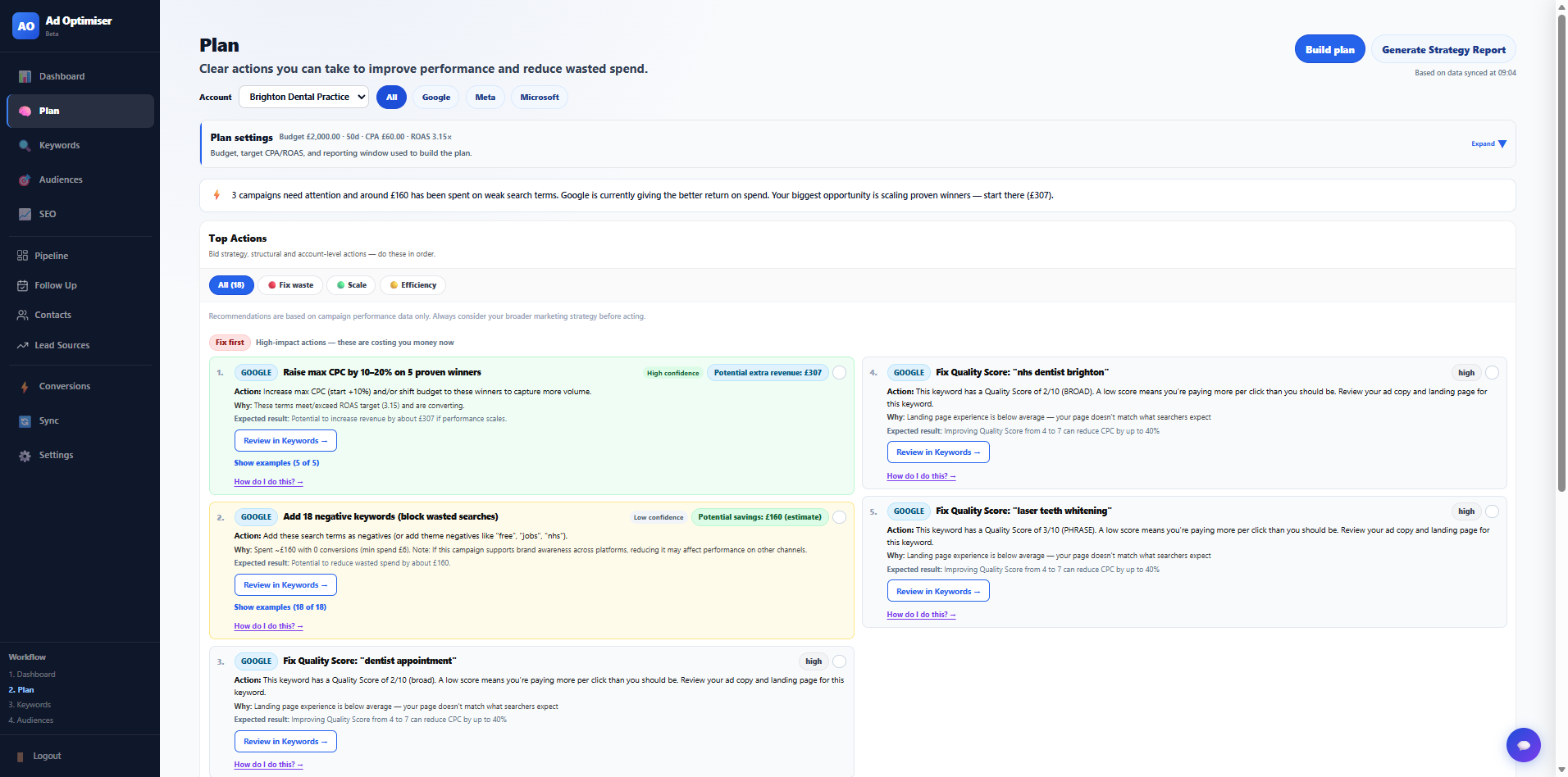
A prioritised action plan, not vague suggestions.
The Plan page reads your actual account data, runs it through a rules engine, and produces ranked recommendations in plain English. Every recommendation links back to the real data behind it.
- Recommendations ranked by impact
- Rules engine reads actual account data
- Every recommendation auditable in platform
- Plain English, not analyst jargon
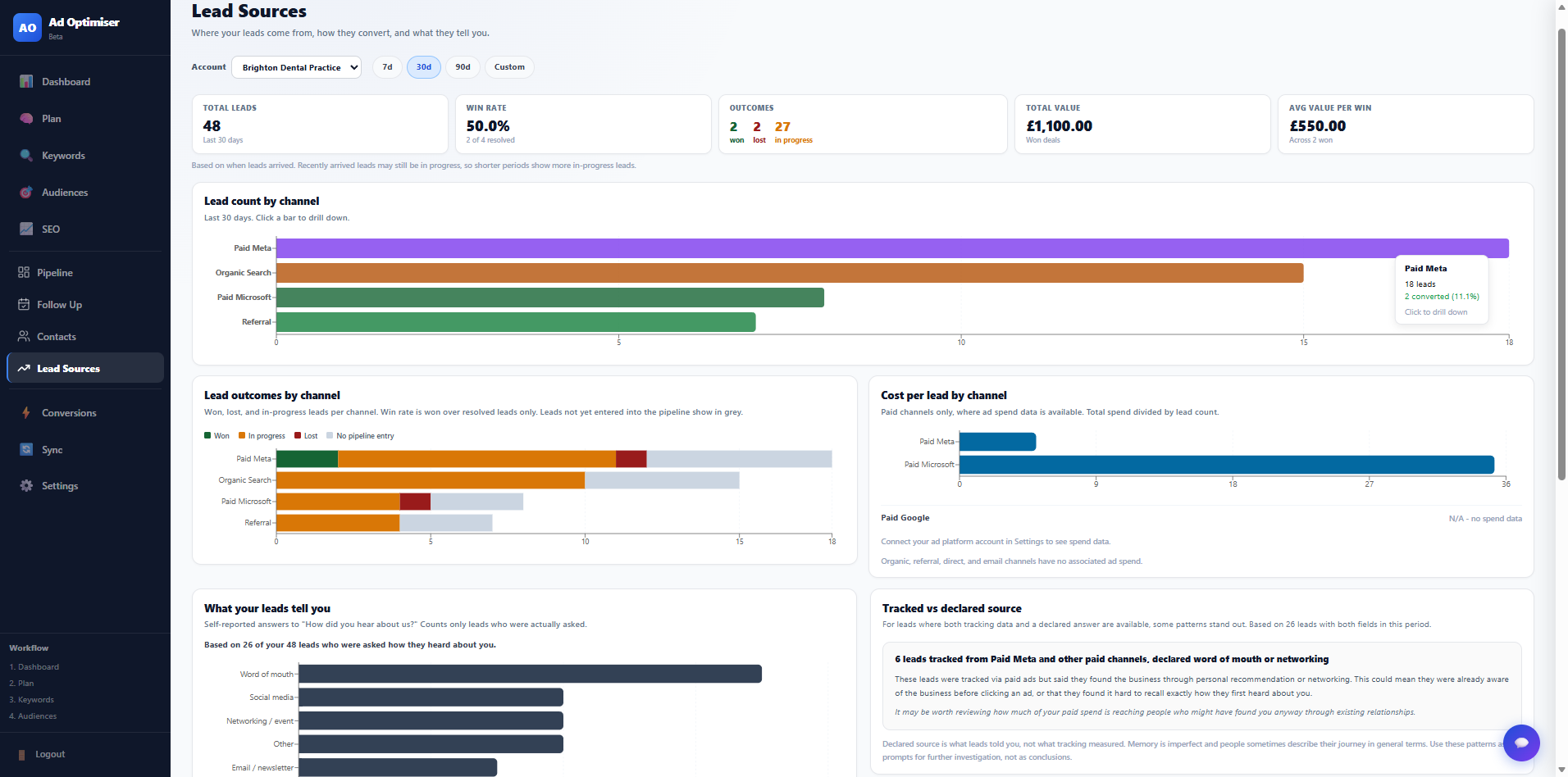
Every lead. Every source. Which ones actually work.
Track leads from Google, Meta, Microsoft, email, organic and referral in one place. See win rates by channel and spot which sources close deals, not just generate clicks.
- Tracks leads from Google, Meta, Microsoft, email, organic and referral
- Declared source capture at point of enquiry
- Win rate by channel
- Spot which sources close deals, not just generate clicks
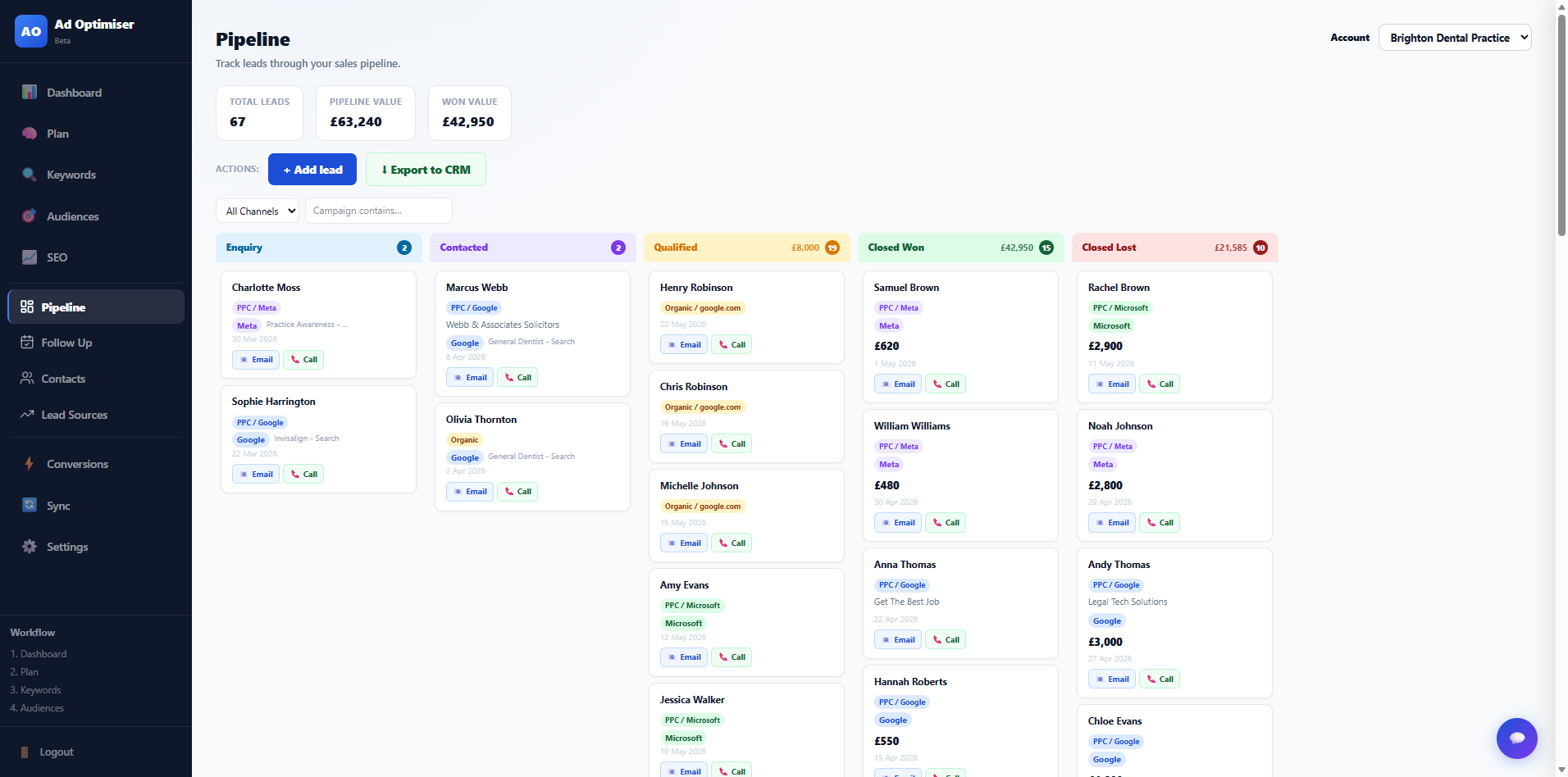
From ad click to closed deal, tracked.
Leads from your ads land directly in your pipeline. No manual entry. Drag them through Enquiry, Contacted, Qualified and Closed. See exactly which campaigns are generating revenue.
- Leads auto-created from ad form fills
- Real pipeline ROAS vs platform estimates
- Deal value tracked and attributed per campaign
- Drag-and-drop stage management
- CRM-style pipeline linked to ad source, campaign and keyword
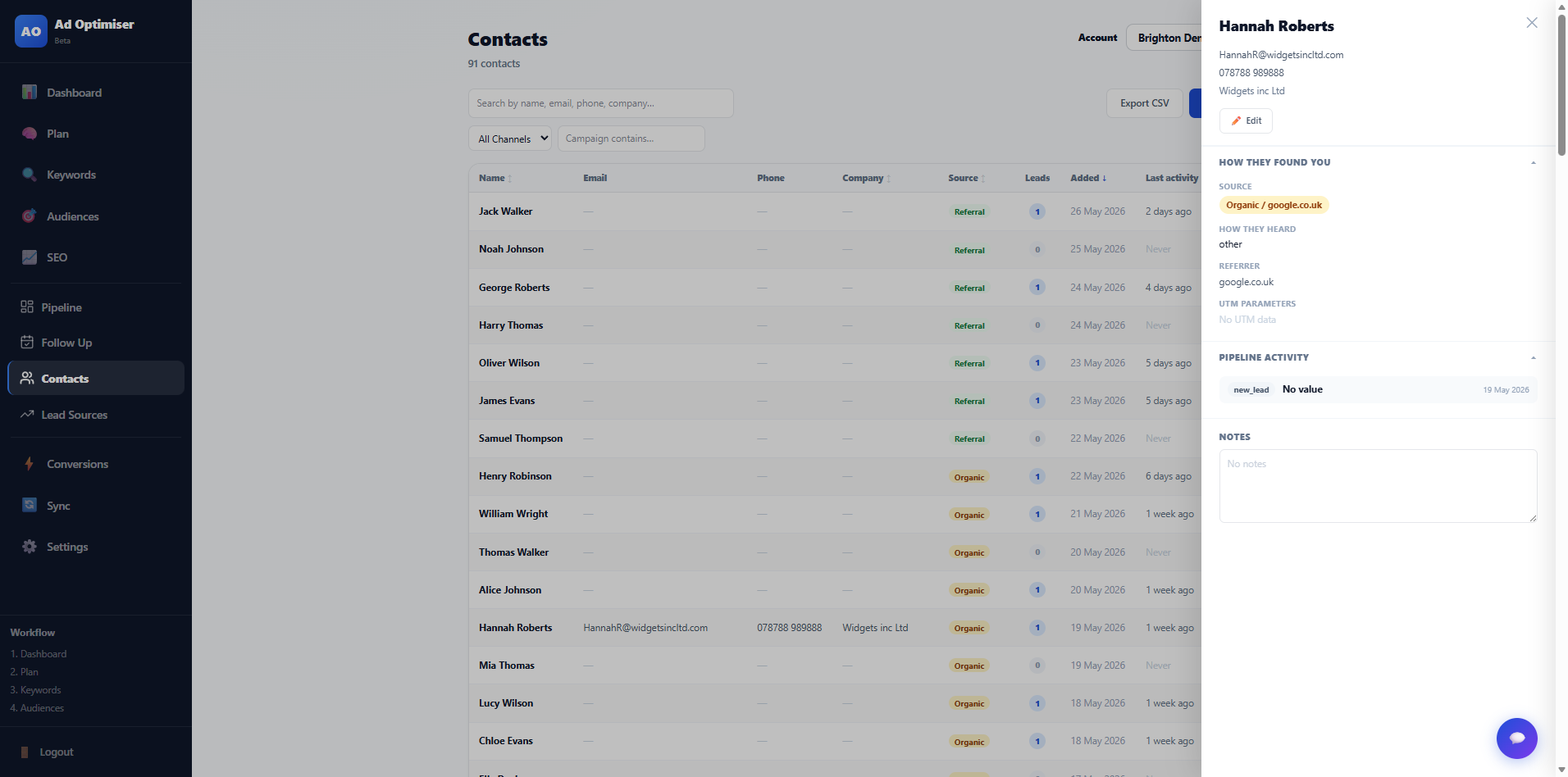
Every lead. Every source. Zero manual entry.
Every contact automatically tagged with the platform, campaign and keyword that brought them in. Full history of every interaction and every deal they are linked to.
- Auto-tagged with source platform and campaign
- Name, email, phone and company captured
- Full interaction history per contact
- Linked directly to pipeline deals
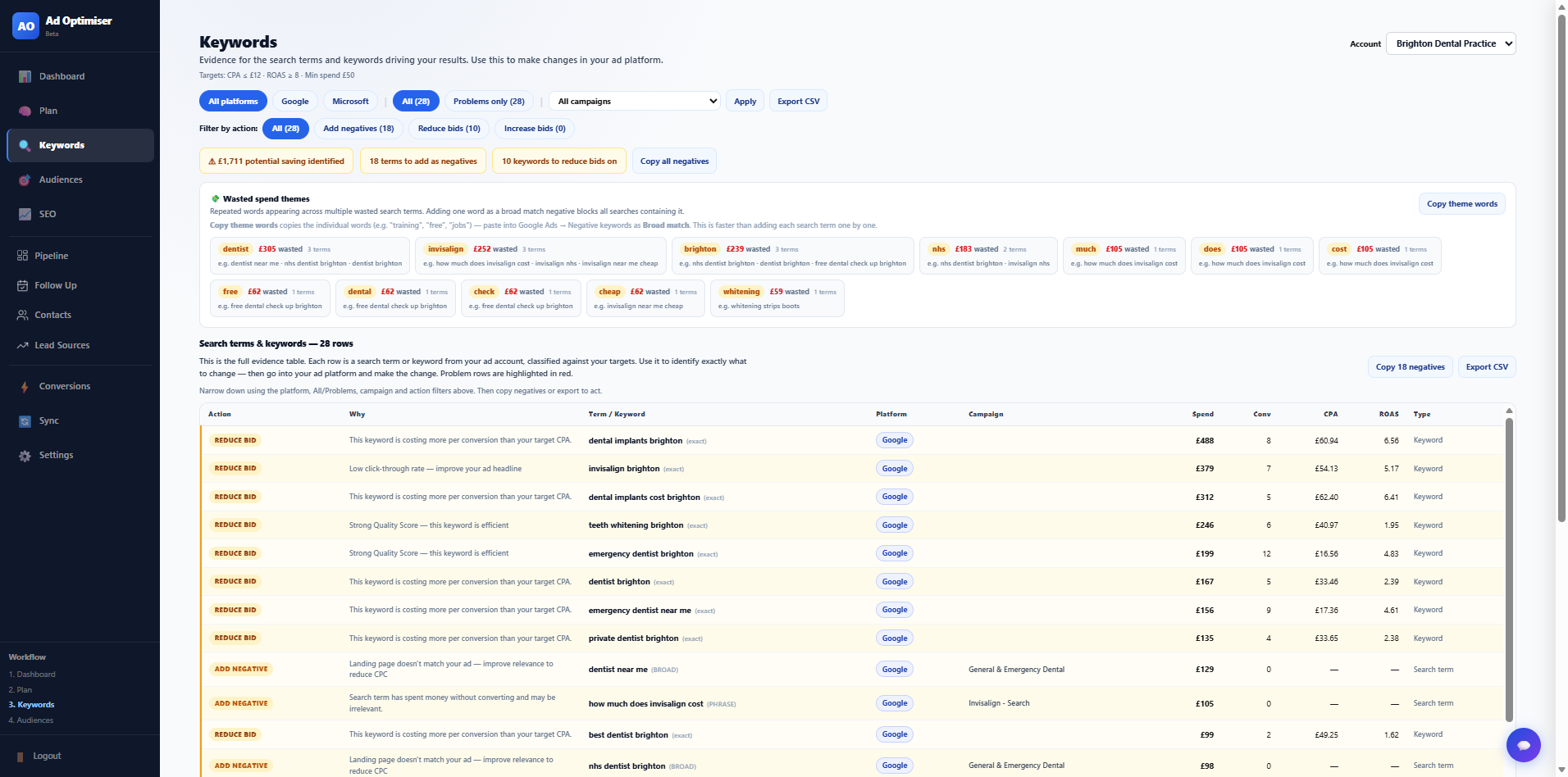
Cut the keywords burning your budget.
See exactly what each keyword costs, what it converts, and whether it is worth keeping. Problem terms flagged automatically. Copy negatives to stop wasted spend with one click.
- Cost per conversion per keyword
- Automatic problem term flagging
- One-click negative keyword copying
- Search term report built in
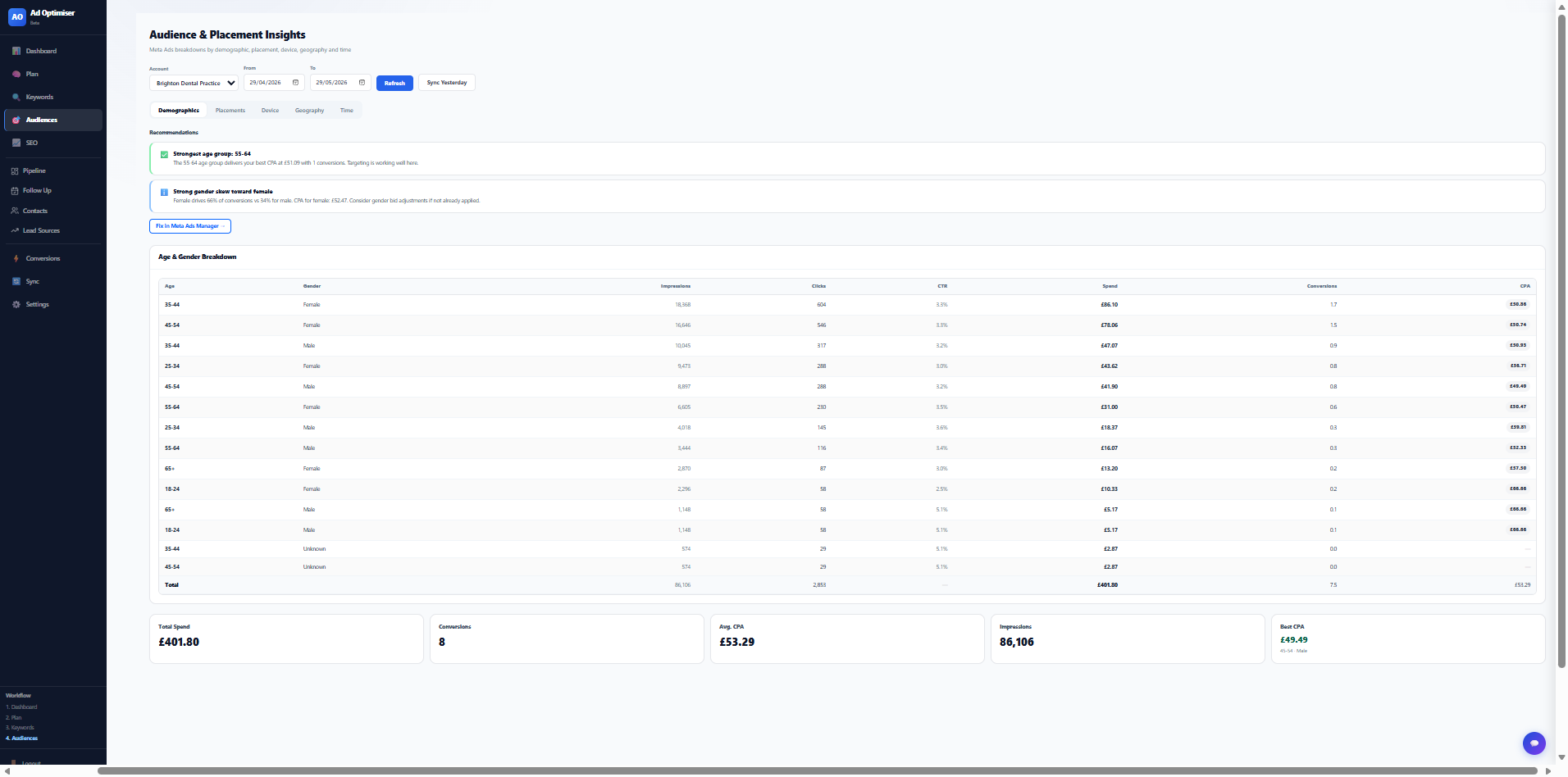
Find the audiences that actually convert.
Break down your Meta ad performance by age, gender and placement. Stop guessing which segments are working. See it in the data and shift budget accordingly.
- Age and gender performance breakdowns
- Placement analysis across Feed, Reels and Stories
- Cost per lead by audience segment
- Budget shift recommendations
A plain English report on your entire ad account.
The Strategy Report reads your actual account data, runs it through a rules engine, and produces a PDF you can read, share, or use in a conversation with an agency. Every finding is auditable. Nothing is invented.
From messy ad data to clear actions
No training needed. No agency. No jargon. Connect your accounts and start seeing what to fix.
Securely link Google Ads, Meta Ads and Microsoft Ads using official OAuth connections. Takes about 2 minutes. We never make changes without your explicit approval.
When someone clicks your ad and fills in a form, they appear in your pipeline automatically, tagged with the campaign, keyword and platform that generated them.
As leads move through your pipeline to closed deals, Ad Optimiser calculates your real ROI per campaign. Not what the platform claims, but what your pipeline proves.
Tools and guides, no sign-up required.
Enter your ad spend, revenue and lead numbers. Get your real ROAS and cost per acquisition in seconds. No email required.
Open calculator →A full overview of what Ad Optimiser does, how it works, and who it is for. Download and share with your team or agency.
Start for free.
See results fast.
Join the businesses already using Ad Optimiser to connect their ad spend to their sales pipeline. Currently in free beta. No card required.
Prefer to talk?
Leave your number and we'll call you back.
How we use your ad data
Ad Optimiser connects to your ad accounts to read performance data. Here is exactly what that means.